
Software Compatible Checks
Our computer checks are designed for reliable everyday use with today’s leading accounting and payroll software. Choose from formats compatible with all major software, then personalize your checks online with your company information, logo, banking details and starting check number.
Each check is professionally printed to work with your office printer and help maintain accurate, consistent payment records. With decades of experience supplying business checks and financial forms, we stand behind your order.
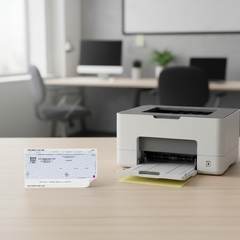
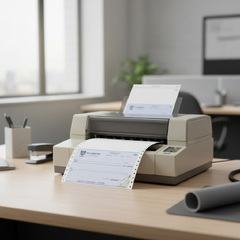
Software Compatible Business Checks
Efficient financial management is the backbone of a successful business. Our business checks are
guaranteed to be compatible with almost any accounting software. We’ve designed our layouts to integrate effortlessly, providing a secure and reliable solution that eliminates formatting headaches and streamlines your accounts payable.
Select Your Check Security Level
Our Level 1 (Standard Security) checks provide a strong baseline of protection, while Level 2 (Medium Security) adds watermark verification. For the highest level of fraud prevention, Level 3 (High Security) incorporates advanced anti-copy technology, holograms, and thermochromic ink.
| Security Features | Level 1 Standard |
Level 2 Medium |
Level 3 High Security |
|---|---|---|---|
| Warning Box, Padlock Icon & Original Document Text | |||
| Erasure Protection & Chemically Sensitive Paper | |||
| Microprint Signature Line & Toner Adhesion | |||
| Mobile Deposit Reminder & UV Dull Paper | |||
| Authentic Watermark | — | ||
| Anti-Copy Technology & Chemical-Wash Detection | — | — | |
| Foil Hologram, High-Security Background & Thermochromic Ink | — | — |
Software-Compatible Business Check Guide
How Software Compatibility Works
Software-compatible checks are designed so the check and voucher areas align with the information generated by your accounting or payroll software. The software controls where items such as the payee, date, dollar amount and payment details print.
| What to Check | Why It Matters |
|---|---|
| Check Position | The check must appear in the location expected by your software |
| Voucher Layout | Payment, invoice or payroll information must align with the available voucher areas |
| Perforations | Perforation locations determine where the check and voucher sections separate |
| Sheet Size | The physical sheet must match the format supported by your printer and software |
| Starting Check Number | The number in your accounting software should match the first physical check being printed |
If your software is not specifically listed, it may still use a standard check layout. Compare the required format with the product specifications or contact us for help identifying a compatible option.
Understanding MICR Information
MICR stands for Magnetic Ink Character Recognition. The MICR line appears along the bottom of a business check and contains banking information in a standardized format used during check processing.
Routing Number
Identifies the financial institution associated with the account.
Account Number
Identifies the specific bank account from which the check is issued.
Check Number
Identifies the individual check and helps maintain sequential payment records.
Before You Order
Verify the following information before customizing your software-compatible business checks:
- Accounting or payroll software name
- Required top, middle or bottom check position
- Voucher and perforation layout
- Company name and address
- Bank name and address
- Routing and account information
- Starting check number
- Company logo or other available customization
Printing & Alignment Tips
Print a Test First
Before processing a large batch, print a test check and confirm that the payee, date, amount and voucher information align correctly.
This can be done with a digital or physical sample, or a PDF proof when ordering custom checks.
Check Page Scaling
Automatic printer settings such as "Fit to Page" can shift information away from the intended print position.
Use the settings recommended by your accounting software or print at 100%.
Verify Your Starting Number
Make sure the next check number in your accounting system matches the first physical check loaded into your printer before beginning a print run.
Replacing Checks From Another Supplier?
Do not match a replacement check based only on the overall sheet size. Check position, perforations, voucher configuration, software requirements and numbering sequence should all be verified before ordering.
Need Help Identifying the Right Check?
If you are replacing an existing check or are unsure which format works with your software, we can help compare the specifications.
Provide the name of your accounting software along with information about your current check, including the sheet size, check position, perforations and voucher layout. A sample of your existing check can also help us identify the closest available format.