
Custom Laser Checks
Our laser business checks are designed for compatibility with major accounting and financial software, including QuickBooks®, Sage®, Microsoft®, Quicken®, and many other popular platforms.
Printed with your business and banking information, our professional laser checks combine reliable performance with available security features and customization options. Select your preferred check format, security level, design, and personalization to create checks that fit your business needs!
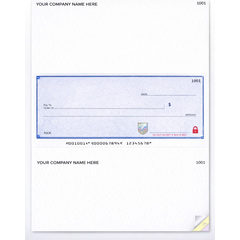
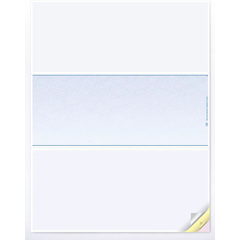
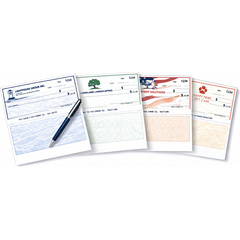
- Sku: P7099SS-2
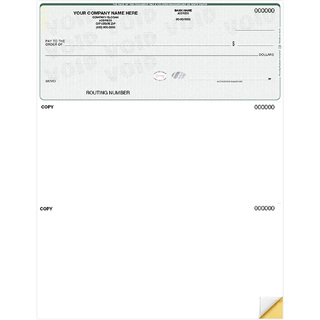
- Sku: DLC11B-1
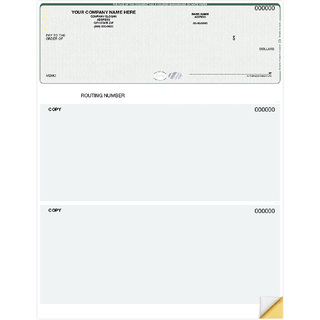
- Sku: NSDLT104
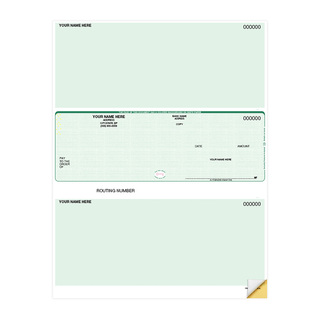
- Sku: DLC11M-1
Custom Business Laser Checks: Secure, Professional, and Efficient Check Printing
Upgrade your business transactions with custom business laser checks designed for office printers, accounting software, payroll processing, vendor payments, and everyday business expenses. These computer checks help streamline payment workflows while giving your company a professional, branded appearance.
Our laser checks can be printed with your business name, bank information, logo, security features, and layout preferences. You keep control of the final transaction details by printing payee names, check amounts, dates, and memo information directly from your accounting software when payments are ready.
Compatible Check Formats
Choose from top, middle, bottom, or three-per-page laser check layouts.
Select from blank laser checks, payroll checks, or accounts payable formats, available as single-sheet, duplicate, or triplicate options, all designed to be software-compatible.
Personalized for Your Business
Add your company logo, banking details, custom colors, security paper, and layout elements to create checks that match your business identity and internal payment processes.
Works With Your Accounting Software
Laser checks are commonly used with QuickBooks, Quicken, Sage, Microsoft Dynamics, NetSuite, Yardi, and many other accounting or financial software programs.
Easy Ordering and Mailing
Order checks online, print payment details when needed, and pair your checks with double-window envelopes for secure and efficient mailing.
Laser Business Check Guide
Choosing the right business check starts with matching the format to your accounting or payroll software. Check position, voucher layout, printer type, numbering and security features can all affect compatibility.
Use this guide to better understand the different check formats and what to verify before placing your order.
Choose the Right Check Format
Top Check
The check is positioned at the top of the sheet with one or more voucher sections below. This is a common format for major accounting and accounts-payable applications.
Middle Check
The check appears in the center of the sheet with voucher information above and below. This format is also commonly used by major payroll and accounting software.
Bottom Check
The check is positioned at the bottom of the sheet with voucher sections above. Some accounting systems are specifically designed for this layout.
Why Choose Laser Checks?
A practical alternative to ordering checks directly from the bank or major providers.
Present branded checks with your company name, logo, and details.
Choose secure check paper and formats designed for business use.
Supports many accounting programs with adjustable print layouts.