
Custom Business Forms
Business forms help companies document transactions, organize daily operations and maintain accurate records. Choose from custom carbonless forms, receipt books, laser and continuous forms, pads, booklets or industry-specific designs.
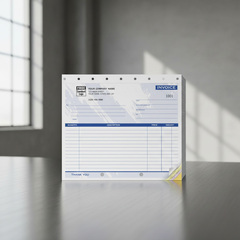
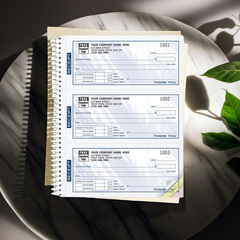
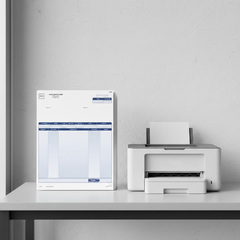
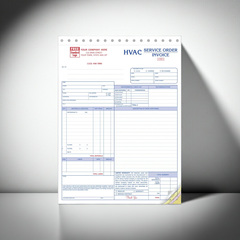
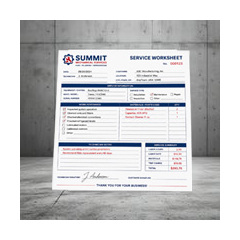
Professional and Custom Business Forms
Many of our forms can be personalized online with your company name, logo and business information. You can also submit an existing form for reproduction or work with our design team to create a new form tailored to your workflow.
Ready-to-Use Templates
Choose professionally designed templates for invoices, work orders, estimates, receipts, purchase orders and other common business needs.
Flexible Customization
Add your company information, logo, contact details, numbered fields and other required information.
Multiple Formats
Select loose forms, carbonless sets, pads, receipt books, wrap-around books, laser forms or continuous forms.
Professional Printing
Depending on the product, forms may be printed in black ink, PMS spot colors or full-color CMYK.
Need a Form Designed Specifically for Your Business?
When a standard template does not match your needs, we can create business forms from scratch or reproduce a form you already use.
Send us an existing form, a marked-up document, a sketch or a description of the information you need and the format desired. Our design team can organize the content, prepare a professional layout and provide a PDF proof for review before printing.
- Custom fields and instructions
- Company logos and branding
- Sequential numbering
- Multiple copy colors
- Perforations and hole punching
- Loose sets, pads or books
- Single or double-sided printing
- Black, spot-color or full-color printing
Create Your Own
Upload your existing artwork or tell us what your new form needs to include.
Create a Custom FormManual Business Forms
Manual forms are completed by hand and are well suited for fieldwork, customer visits, deliveries and other situations where a computer or printer may not be available.
Available formats include:
- Loose single-sheet forms
- Two-part, three-part or multi-part carbonless sets
- Padded forms
- Stapled booklets
- Wrap-around books
Carbonless forms create instant duplicate or triplicate copies without carbon paper, making them useful for invoices, receipts, work orders, service forms and delivery records.
Software-Compatible Forms
Software-compatible forms are designed for businesses that print information from accounting, payroll or business-management software.
Choose from:
- Laser forms for laser or inkjet printers
- Continuous forms for dot-matrix or tractor-fed printers
Customize Your Business Forms
Some products use a fixed pre-printed layout that allows only your company information to be added. Other products can be extensively customized or created completely from scratch.
- Company name and contact information
- Logos and brand colors
- Custom fields and instructions
- Sequential numbering
- Perforations
- Hole punching
- Choice of paper colors
- Loose sets, pads or books
Popular Types of Business Forms
Invoices
Document products or services provided, payment terms, totals and customer information.
Work Orders and Service Forms
Record work requested, materials used, labor performed, customer approval and completion details.
Estimates and Proposals
Present pricing, project details, terms and proposed services in a clear professional format.
Purchase Orders
Create an organized record of products, quantities, pricing and supplier information.
Receipt and Sales Books
Provide customers with a written record of payments or purchases while retaining a copy for your files.
Graph Paper and Printed Sheets
Support engineering, technical, planning, design and administrative applications.
Advantages of Carbonless Forms
Carbonless forms provide immediate copies of handwritten information without requiring electronic equipment or separate carbon paper.
They are frequently used for invoices, receipts, work orders, delivery records, inspection reports and service documentation.
Common Industries
- Field services
- Construction
- Automotive
- Delivery
- Property management
- Healthcare
- Retail
- Manufacturing